1.4 KiB
1.4 KiB
Gitea Theming
Theme Directory
- Find where your
CUSTOMPAATHdirectory is, mine is/data/gitea/public/css.
Gitea Version 1.18+
Sainnhe themes
- Navigate to the theme directory and using
wgetyou can download any of the raw files of the css theme- Example for Nord:
wget https://git.sainnhe.dev/sainnhe/gitea-themes/raw/branch/master/dist/theme-nord.css
- Example for Nord:
- Once the file is copied, use your favorite editor to open the file.(Taken from changes of the official
arc-greentheme)- Search for these values of the theme.
--color-navbar: #222222;
--color-navbar-transparent: #22222200;
--color-nav-bg: unset;
--color-reaction-active-bg: var(--color-primary-alpha-40)
- Replace the lines with the new values.
--color-header-wrapper: #222222;
--color-header-wrapper-transparent: #22222200;
--color-nav-bg: #222222;
--color-nav-hover-bg: #303030;
--color-reaction-active-bg: var(--color-primary-alpha-40);
--color-label-text: #dbe0ea
- Once the file has been changed, navigate to the config file
app.ini- Mine is located in
/data/gitea/confs - Find the
[ui]section and add in the name of the new theme toTHEMES.
- Mine is located in
...
[ui]
THEMES = auto,gitea,arc-green,<your theme>
DEFAULT_THEME = <your theme>
...
- Save the file and restart the Gitea instance
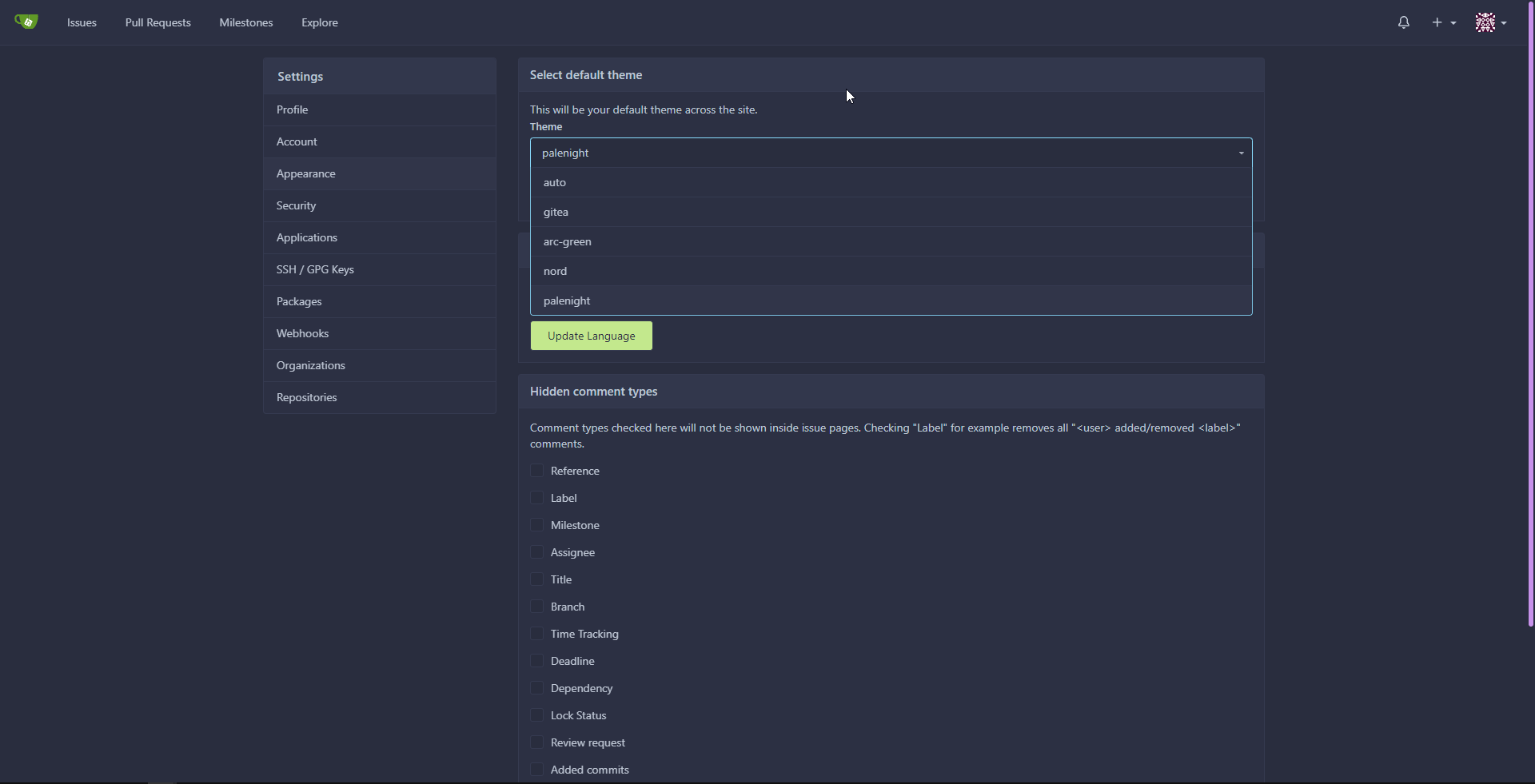
- Navigate to the appearance section under your own account and change the theme.